PM Kisan Status Check: Easy Steps Using Aadhaar Card (2025)
PM Kisan Status Check with Aadhaar. Waiting for your next PM Kisan Samman Nidhi installment? Checking your payment status is easy, but finding the right way online can be confusing with so many websites floating around. Forget the unofficial portals! The only reliable place to check your PM Kisan status is the official government website: pmkisan.gov.in.
This guide shows you exactly how to check your status using your Aadhaar card number – the most common and recommended method in 2025. We’ll also clarify the role of your mobile number.
Check PM Kisan Status via Official Portal (Using Aadhaar)
This is the primary method. Forget third-party sites; go straight to the source.
- Go to the Official Website: Open your web browser and navigate to
https://pmkisan.gov.in/. - Find ‘Know Your Status’: Scroll down the homepage. Look for the “Farmers’ Corner” section. Within this, click on the “Know Your Status“ option.
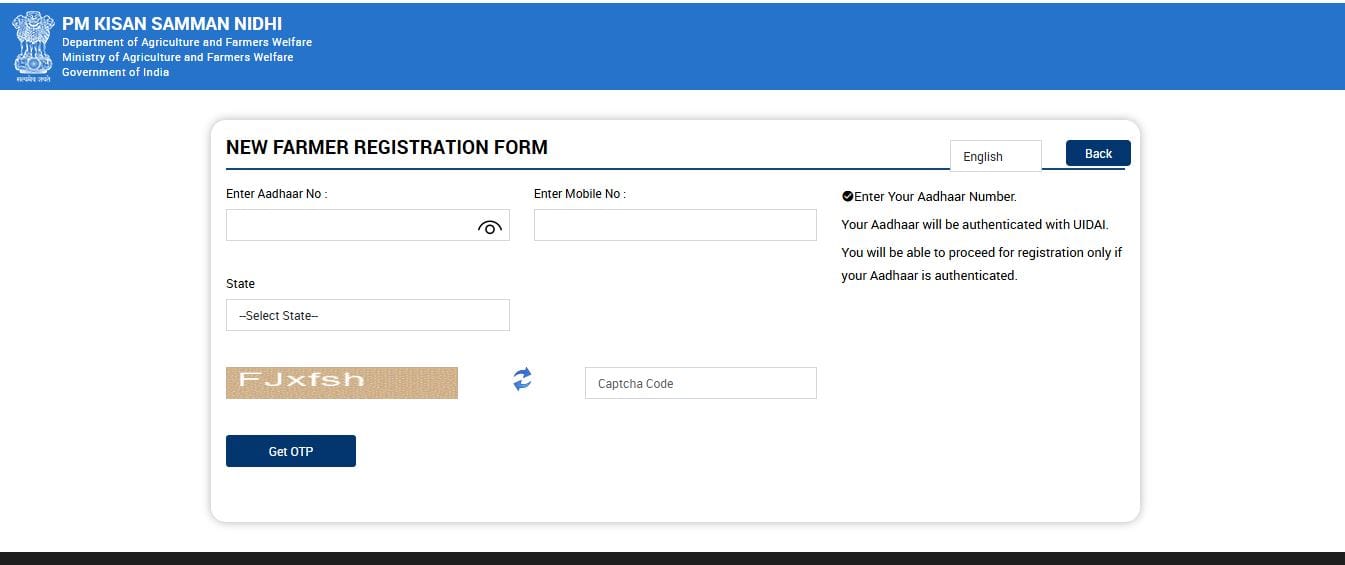
- Enter Your Details: You’ll now see a page asking for your details.
- Crucially, you usually need your PM Kisan Registration Number OR your Aadhaar Number. While the keyword includes “mobile number,” the direct status check interface on the official site primarily relies on Registration No. Or Aadhaar No.
- Select the option to search by “Aadhaar Number”.
- Enter your 12-digit Aadhaar number carefully in the provided box.
- Enter the Captcha code shown on the screen (it’s case-sensitive!).
- Get OTP (If Required): Depending on recent updates, you might be asked to click “Get OTP,” which will be sent to your Aadhaar-linked mobile number. Enter the OTP if prompted. (Note: Sometimes this step is skipped, and it directly shows the status.)
- View Your Status: Click on “Get Data” or “Submit”. Your PM Kisan status details will be displayed on the screen. This includes:
- Your personal details (as registered).
- The status of your recent installments (e.g., “Payment Processed,” “FTO is Generated and Payment confirmation is pending,” or reasons for failure).
What About Checking with Just a Mobile Number?
While your Aadhaar-linked mobile number is crucial for receiving OTPs and sometimes required during the Aadhaar-based check, the official The pmkisan.gov.in portal does not typically allow a direct status check using only your mobile number as the primary search criterion.
- Why? Security and accuracy. Aadhaar or the Registration Number directly links to your specific beneficiary record.
- Mobile Number Use: Your registered mobile number is used for:
- Receiving OTPs during status checks or eKYC.
- Potentially finding your Registration Number if you’ve forgotten it (there’s often a “Know Your Registration Number” link).
Bottom Line: Keep your Aadhaar-linked mobile number handy, but use your Aadhaar number (or Registration Number) on the official website for the actual status check.
Understanding Your PM Kisan Status Message
When you check your status, you might see terms like:
- Payment Processed: Good news! The installment amount has been sent to your bank account.
- FTO is generated, and Payment confirmation is pending: FTO (Fund Transfer Order) means the government has processed the payment request. It’s on its way, but confirmation from the bank is awaited. This usually takes a few days.
- RFT Signed by State: Request For Transfer signed by the state government. The next step is FTO generation.
- Payment Stopped by State / Request of District: There might be an issue with your details (like land records, incorrect bank info). Contact your local agricultural office.
- eKYC Not Completed / Aadhaar Not Linked to Bank: These are common reasons for payment failure. You must complete your eKYC (via OTP on the PM Kisan portal or Biometric at a CSC) and ensure your Aadhaar is linked to your bank account (NPCI mapping).
Conclusion: Stick to the Official Source!
Checking your PM Kisan status using your Aadhaar card is straightforward if you use the official portal: pmkisan.gov.in. Ignore unofficial sites that might ask for unnecessary details or provide outdated information. Keep your Aadhaar number and linked mobile number ready, visit the official site, and get your accurate status in minutes.